
1. Click Tenants → Tenants List from the Menu.
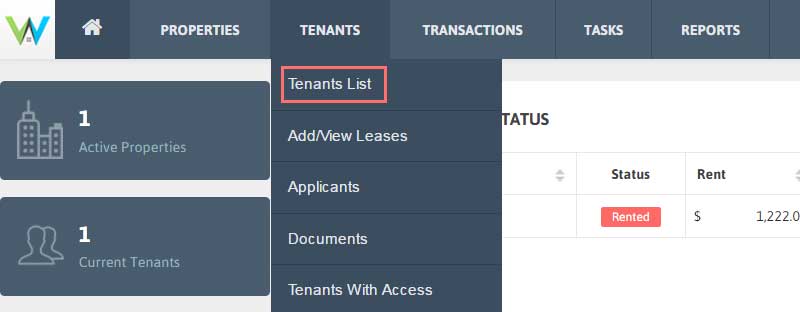
2. Click ‘Invite Tenant’ under ‘Access to Tenants’ column in the Tenant List table.

3. ‘Invite Tenant’ details will open in a popup.
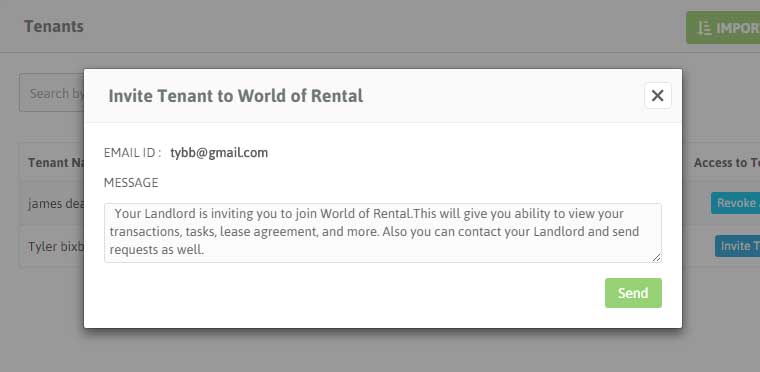
4. You can edit the Invitation message for your tenant.
5. On clicking the ‘Invite’ button, a mail will be sent inviting Tenant to World of Rental.