
1. Click Transactions → Recurring Transactions from the Menu.
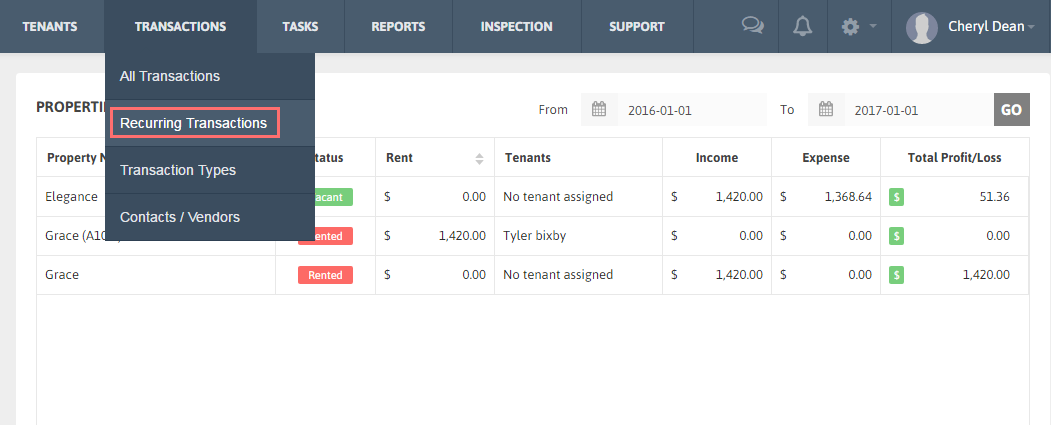
2. Edit, Delete and Use options are available under ‘Action’ column of the Recurring Transaction list table.
Edit Recurring Transaction:
1. Click on ‘Edit’ button under ‘Action’ column for any recurring transaction you want to edit the details for.
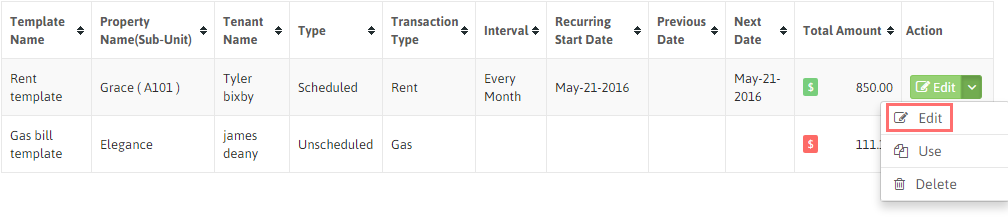
2. Modify the data and click ‘Save’.
Use Recurring Transaction:
1. Any Recurring Transaction you want to use as Transaction, click on arrow under Action and click ‘Use’ button.
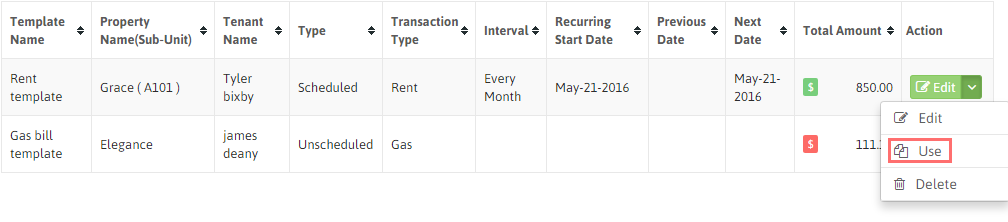
2. You can also modify the transaction data and click ‘Save’.
3. The template will be saved as the Transaction in the Paid/ Unpaid Transaction list.
Delete Recurring Transaction:
1. Delete any Recurring Transaction template by clicking downward arrow under ‘Action’ column.
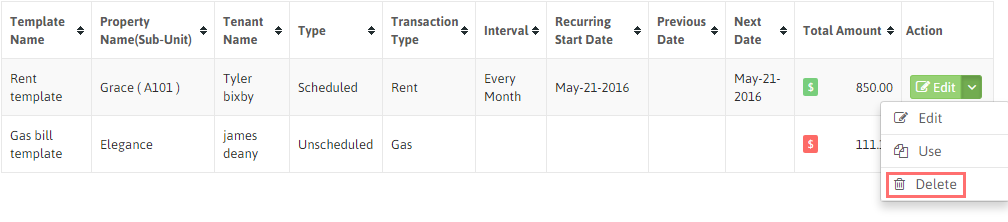
2. Click ‘Delete’. The Recurring Transaction will be removed from the list and your account.