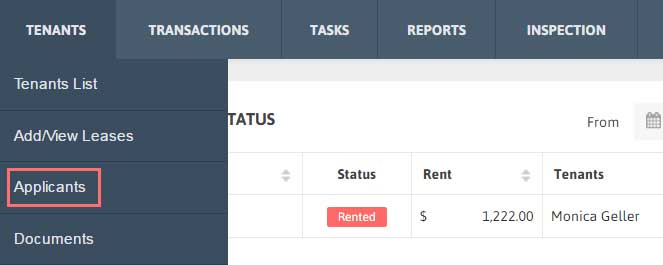
1. Click Tenants → Applicants from the Menu.
2. To search your desired Applicant just type Applicant Name, Email and/or Contact No.
3. Now click ‘Search’ to get the filtered results according to the criteria you have set in search bar.

1. Click Tenants → Applicants from the Menu.
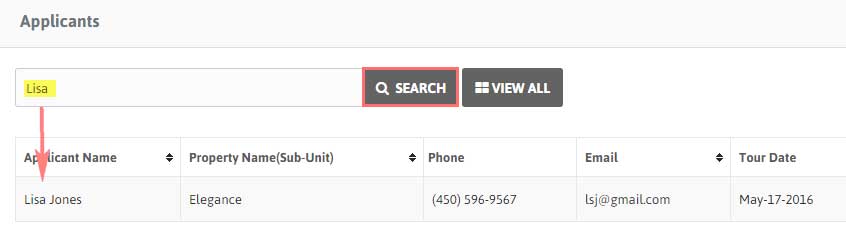
2. To search your desired Applicant just type Applicant Name, Email and/or Contact No.
3. Now click ‘Search’ to get the filtered results according to the criteria you have set in search bar.