Edit the Transaction:
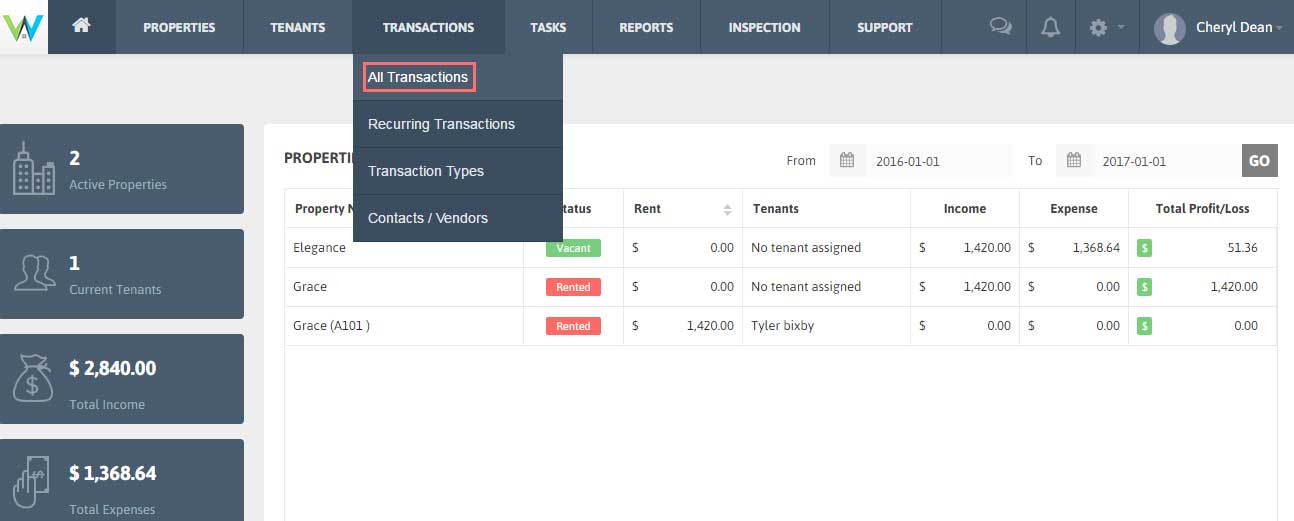
1. Click Transactions → All Transactions from the Menu.
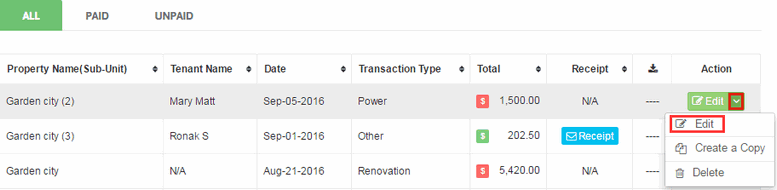
2. Click ‘Edit’ button under ‘Action’ for the transaction you want to modify details for.
3. After making changes for the Transaction Details, Click ‘Save’ to add the changes in your Transaction data.
Delete the Transaction:
1. Click Transactions → All Transactions from the Menu.
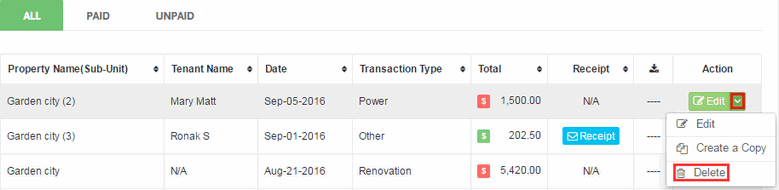
2. To Delete any Transaction, click on the downward arrow besides ‘Edit’ and click ‘Delete’.